
All settings
This page goes through each section of Paramètres (Settings). Open them from the sidebar, or with Ctrl+,. The Agents, Skills, Recettes (Recipes) and Connexions (Connections) entries of the sidebar open the same sections.
With no project open, Store & connexions (Store & connections) and Agents offer to create one, and Diagnostic (Diagnostics) asks you to select one. Some settings refuse to change while an agent is working, for example the keys: Arrêtez les agents avant de modifier les clés. (Stop the agents before changing the keys.)
Général (General)
Section titled “Général (General)”Three sub-tabs: Général, Données (Data) and Log&Error.
In the Général sub-tab:
- Application: the installed version. Updates are managed in the inbox.
- Notifications: Son quand un agent s’arrête (Sound when an agent stops), and Écouter le son (Play the sound) to try it. If it is enabled, a finished task, a question or an awaited in-game test triggers the À vous de jouer (Your turn) notification, a sound, and a flashing icon if the app is in the background.
- Création 3D (3D creation): the tool your agents use for 3D. Choose one, then click Appliquer (Apply). It applies to all your projects. See Choose your 3D tool.
- Diagnostic au démarrage (Startup diagnostic): Consulter / relancer le diagnostic (View / rerun the diagnostic) opens the Diagnostics section.
- Connexion à UEFN (Connection to UEFN): Connexion automatique (Automatic connection), for the open project, and the procedure under Configurer UEFN une première fois (Set up UEFN for the first time). See Connect UEFN.
- The open project, with Modifier le projet (Edit the project).
- Quitter Pilot et ses processus (Quit Pilot and its processes): closes the app and stops its agents, its terminals and its local MCP servers. UEFN and programs opened separately stay active.
The Données sub-tab and the backups are explained in Your data and backups. The Log&Error sub-tab is explained in Diagnostics.
Visites guidées (Guided tours)
Section titled “Visites guidées (Guided tours)”The list of tours, each with Lancer (Start) or Revoir (Replay).
- Lancer la visite des sections que je n’ai pas encore découvertes (Start the tour of sections I have not discovered yet): untick it to stop them opening.
- Revoir l’accueil (Replay the welcome): runs the first launch again.
- Tout réinitialiser (Reset all): all the sections become to be discovered again.
A tour of a section tied to a project requires a project to be open.
Store & connexions (Store & connections)
Section titled “Store & connexions (Store & connections)”The tools you can add, by category: Tout (All), Connexions (Connections), Skills, Moteurs IA (AI engines), Installés (Installed). This is where you install an AI gateway, enable Blender or Meshy and add an MCP server. See Store and connections.
Agents
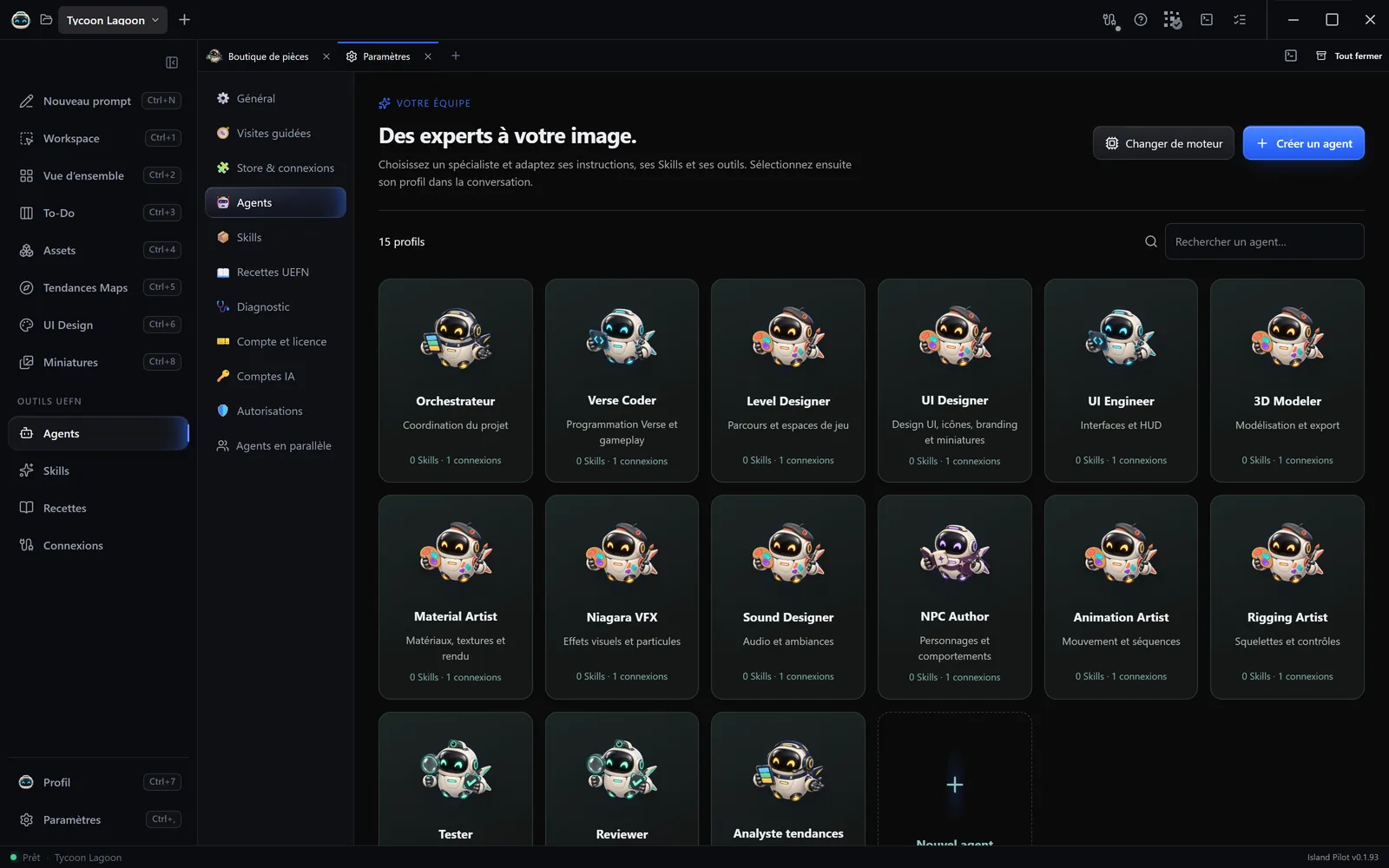
Section titled “Agents”The profiles of the open project, with Changer de moteur (Change engine) and Créer un agent (Create an agent). See Customise an agent.
Skills
Section titled “Skills”The list of Skills, with creation and import. See Skills.
Recettes UEFN (UEFN Recipes)
Section titled “Recettes UEFN (UEFN Recipes)”Guided UEFN tasks, to start in a conversation. See Recipes.
Diagnostic (Diagnostics)
Section titled “Diagnostic (Diagnostics)”Vérifier la configuration (Check the configuration) checks the open project, changing nothing. See Diagnostics.
Compte et licence (Account and licence)
Section titled “Compte et licence (Account and licence)”Your account, your licence and your computer:
- Se déconnecter (Sign out).
- Licence: its state, with Clé (Key), Connexion (Connection), Ordinateurs (Computers), Statut (Status), and Vérifier maintenant (Check now). Offline, the top of the page shows until when the app keeps working.
- Activer une clé (Activate a key): only if no licence is active on this account.
- Ordinateur (Computer): Changer d’ordinateur (Change computer), and the list of registered computers.
- 2ᵉ accès de l’offre Duo (2nd access of the Duo plan): only with a Duo plan.
See Licence and computer.
Comptes IA (AI accounts)
Section titled “Comptes IA (AI accounts)”One card per provider: connection state, Disponible dans les conversations (Available in conversations), Vérifier le CLI (Check the CLI), Détection automatique (Automatic detection), Choisir une autre installation (Choose another installation), and the command to connect your account. Ouvrir le store des passerelles (Open the gateway store) leads to Store & connexions. See Connect an AI account.
Autorisations (Permissions)
Section titled “Autorisations (Permissions)”This section explains the rules, with no setting to change here. Confirmation is restored on each connection, with Demander confirmation avant chaque modification (Ask for confirmation before every change) in its page. See Permissions.
Agents en parallèle (Agents in parallel)
Section titled “Agents en parallèle (Agents in parallel)”This section explains that the number of agents working at the same time on a project has no limit, what that consumes and what Island Pilot protects. It contains no setting. See Agents in parallel.